
Transform your photos with light and color
A Lightroom mini-course on the simple technique I call Painting with Light: the finishing touch that gives the best photos their depth and drama.
- Lightroom mini-course
- Lifetime access
- 30-day money-back guarantee
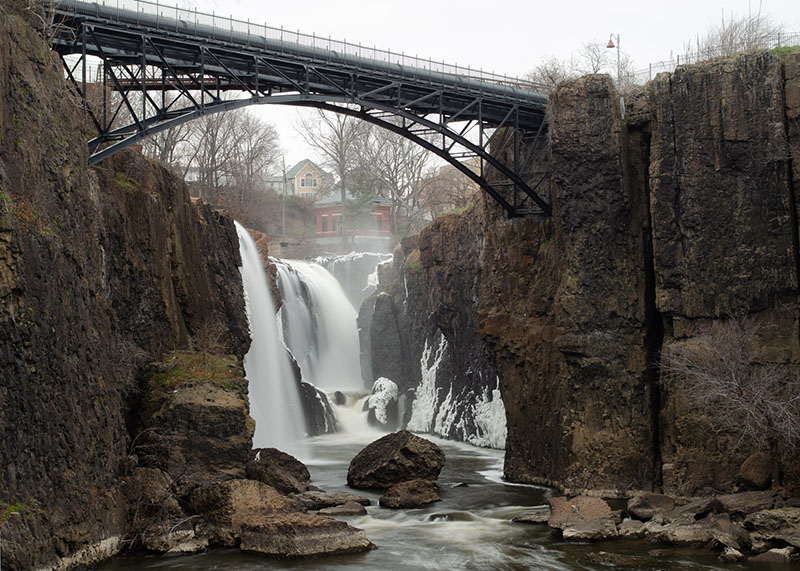
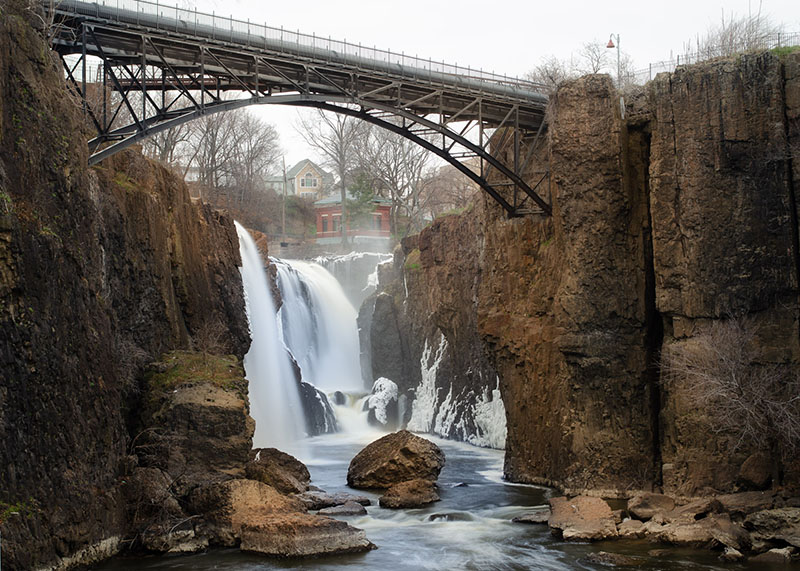 Before After
Drag to compare. One of my edits, using the techniques in the course.
Do your photos look good, but lack that pop?
Light is the essential element of photography. Portrait photographers spend thousands of dollars on lighting gear to create the perfect light, and landscape photographers spend hours or days waiting for it.
So if it’s that hard to get, why are there so many amazing photos all over social media?
Most of those photographers add one finishing touch you may not have heard of: a simple technique you can learn in Lightroom. I call it Painting with Light.
You’ll learn how to
- Bring out the hidden details in your photos
- Create depth and dimension in flat, boring images
- Enhance the colors and light of a sunrise or sunset
- Use light painting to add a sunset look to almost any image
- Read the light already in the image, so your edits look realistic
The lessons
-
Why images look three-dimensional
-
Not going too far with edits
-
The ethics of photo editing
-
Adding depth and dimension to a dull image
-
Enhancing the existing light
-
Creating a sunrise or sunset look
Who is this course for?
- Photographers who use Lightroom but aren’t getting everything out of it they can
- Beginners who want a few simple Lightroom skills that dramatically improve their images
- Experienced photographers who want to see how much you can do in Lightroom in a short time

Hi there, I'm Pete!
I’ve been a professional photographer for years. I run a portrait business and love shooting landscapes in my spare time, and some of my work has been featured on the covers of national magazines.
I won’t stop until you get the results you want, period. That’s why I’ve spent years teaching photographers and creating step-by-step classes that actually help you reach your goals in photography.
Where I've been featured


What you get
Painting with Light is part of Lightroom Goals. If you own Lightroom Goals or the Blueprint, you already have these lessons.
-
Painting with Light & Color in Lightroom
Six lessons, with lifetime access and every future update.
One payment, yours for life
$47
Lifetime access and a 30-day money-back guarantee.
- Painting with Light & Color in Lightroom
Secure checkout · 30-day money-back guarantee
No-questions-asked 30‑day money‑back guarantee
If Painting with Light just isn’t for you and you’re not 100% satisfied within 30 days, email me and I’ll give you a full refund.
That means there’s no risk to you. No hard feelings; I understand it isn’t for everyone.
Frequently asked questions
What version of Lightroom do I need?
I recommend the Adobe Photography Plan, which includes Lightroom and Photoshop, so you always have the most up-to-date version. The course uses Lightroom Classic because it is the most complete version of Lightroom.
A lot of what I cover applies to other and older versions as well. You just may not have every feature I talk about.
Do I need to be experienced with Lightroom?
No. It’s made for beginners who want a few simple Lightroom skills that make a big difference, and for experienced photographers too.
Does this include Lightroom?
No. Lightroom is an Adobe product and must be purchased separately.
When will I get access, and for how long?
You’ll get immediate access. Once you’re in, you have lifetime access, plus all future updates.
Can I watch this on any device?
Yes. The course works on desktop, laptop, tablet and mobile.
What if I don’t like it?
My goal is to help you improve your photography and, most importantly, have fun with your camera. If you’re not satisfied with the course, email me within 30 days and I’ll give you a full refund.
Give your photos the light they deserve.
Painting with Light & Color in Lightroom, for $47.
30-day money-back guarantee
Painting with Light · $47 · lifetime access
Buy now